Artwork Guidelines
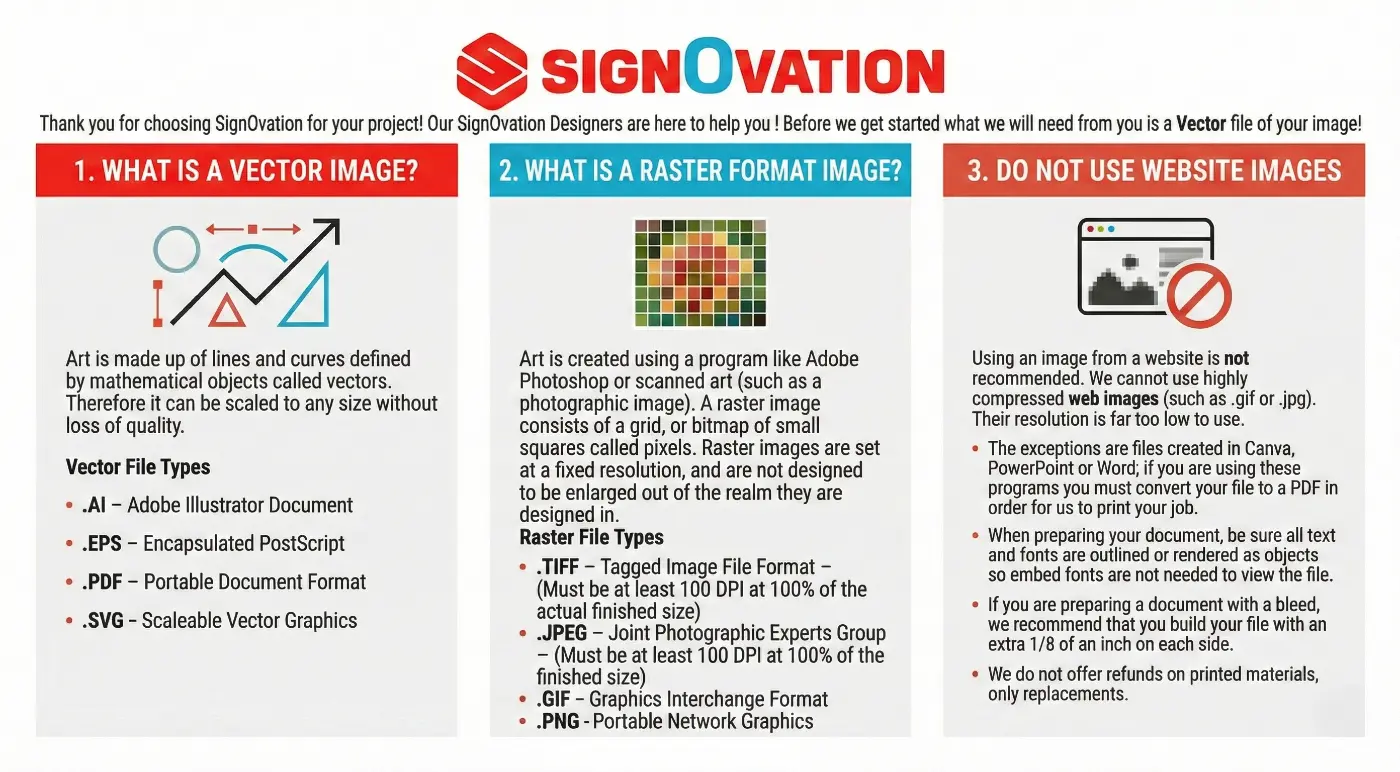
To ensure the best print quality for your project, we require production-ready artwork before fabrication begins. Review the guidelines below before submitting your files.
Accepted File Types & Image Requirements
Preferred File Formats (Vector Artwork)
Vector files produce the sharpest, most scalable results and are always preferred for signage and large-format printing.
Accepted vector file types:
-
AI — Adobe Illustrator
-
EPS — Encapsulated PostScript
-
PDF — Print-ready vector PDF
-
SVG — Scalable Vector Graphics
Why vector matters:
Vector artwork is built from mathematical paths, allowing it to scale to any size without losing quality.
Raster Images (When Vector Isn’t Available)
Raster images are pixel-based and resolution dependent. They can be used for print only if they meet resolution requirements.
Accepted raster file types:
-
TIFF
-
JPEG / JPG
-
PNG
-
GIF
Resolution Requirements:
-
Minimum 100 DPI at final print size
-
Higher resolution recommended for large signage
Warning note:
Low-resolution images pulled from websites or screenshots typically will not print clearly.
Do Not Use Website Images
Images downloaded from websites are usually compressed and too low resolution for production.
Common issues include:
-
Blurry prints
-
Pixelation
-
Color distortion
If web graphics are the only files available, our team can recreate or redraw them for production.
Files Created in Canva, PowerPoint, or Word
We can accept artwork created in these programs only if exported correctly.
Export as a PDF
Build artwork at actual size when possible
Ensure placed images are high resolution
Print Setup Requirements
Fonts & Text
To avoid font errors during production:
-
Convert all text to outlines / curves
-
Or provide font files used
Outlined text ensures your artwork prints exactly as designed.
Bleed & Layout
For print pieces requiring bleed (decals, panels, wraps, etc.):
-
Include 1/8 inch bleed on all sides
-
Keep critical text and logos inside a safe margin
This prevents trimming issues during production.
Color Setup
For best color accuracy:
-
Design in CMYK when possible
-
Provide Pantone, CMYK, or RGB brand colors if exact matching is required
Note: Screen colors may vary from printed output.
Final Approval
Production begins only after artwork proofs are approved by either a written signature, approval via email, or approval over the phone.
Please review proofs carefully for:
-
Spelling
-
Layout
-
Sizing
-
Colors
Policy note: Signovation is not responsible for errors approved in final proofs. We do not offer refunds on printed materials, only replacements.